


Norton360 Antivirus & Security
4.6198.35K Reviews
App Specs
- Version
- 26.11.1.260630610
- Updated On
- License
- Free
- Downloads
- 50,000,000+
- Developer
- NortonMobile
- Categories
- Tools
- Platform
- Android, iOS
Screenshots
 Analysis by AppCompare
When several people share phones, tablets, or a household Wi-Fi connection, security decisions rarely affect just one person. I think that is the most useful way to judge Norton360 Antivirus & Security: not as a magic shield, but as a set of tools that can help a household pay closer attention to device safety. The key is being clear about who owns the account, who uses each device, and which protections each person actually needs.
One household, several habits
A realistic example is a parent using a phone for banking while a teenager borrows it to watch videos or check messages. A security app can help protect the device, but it cannot make every online decision on someone’s behalf. I would treat Norton360 as one layer in a household routine: keep the app current, pay attention to warnings, and talk about suspicious links instead of assuming that installing protection solves every risk.
That distinction matters on shared devices. If one person changes settings or dismisses an alert, another user may not know what happened. Before relying on the app, agree on who will manage it and how everyone should respond when it flags something. This simple conversation is more useful than handing a phone to a family member with no explanation.
Set expectations before enabling protection
Setup is approachable, but I would still take a moment to understand the account and the options being enabled rather than tapping through every prompt. Security suites combine several kinds of protection, and a household may not want every person using every tool in the same way. Decide whether the device is personal or shared, who can change its settings, and whether a feature such as a VPN fits the way that person uses the internet.
It is also worth checking what is included at no cost and what may involve a paid plan or in-app purchase before building a routine around a particular feature. Norton360 is free to download, while in-app purchases range from $0.99 to $264.99 per item. I would not assume that every service shown in the app is automatically included in the free experience; review the terms presented when choosing a feature so there are no surprises.
Coordination beats duplicate checking
If several people use the same phone, decide who will handle alerts and routine checks. Otherwise, one person may assume another has dealt with a warning, or multiple people may keep changing settings without knowing why. I prefer one responsible adult for account-level decisions, with other users encouraged to report anything unusual rather than trying to fix it themselves.
For a household with separate devices, the practical question is whether each person needs the same level of protection. A parent who stores payment details and handles work on a phone may value a broader security setup more than someone who uses a device occasionally for basic browsing. Compare the available plan and device terms before counting on shared access; the right arrangement depends on what the app offers for the account you choose, not simply on everyone living at the same address.
Worth Reading Before You Choose

Flipboard Shows What News Apps Must Do Beyond the Feed

Switching to Android Auto Means Rethinking Your Driving Routine

Google Calendar Makes a Crowded Week Easier to Manage

Ludo King Makes the Most of the Minutes Between Plans

Baby Panda World Brings Quick Play to Modern Phones, but Its Game Library Feels Busy

ESPN’s Live Game View Makes Following Close Games Easier
Age, trust, and the limits of an app
The app’s content rating is Everyone, but that describes the app’s suitability, not whether every online activity is suitable for every child. Norton360 includes parental controls among its advertised extras, yet I would not treat that as a substitute for age-appropriate conversations or a household’s own rules. Controls can support boundaries; they do not remove the need to explain why those boundaries exist.
I would also be careful not to present security software as a way to secretly supervise another person. Shared use works better when people know which protections are active and who manages them. If your main goal is detailed family scheduling, extensive device supervision, or a tightly managed child account, check whether a dedicated family-safety product is a better fit before choosing a general security suite.
Getting Started: A Smooth Ride
First things first, downloading and setting up the Norton360 Antivirus & Security app was a breeze. I just hopped onto the app store, hit download, and before I knew it, I was knee-deep in a sea of security features. The installation process was straightforward, and the app doesn’t bog you down with a million questions or technical jargon. For someone like me who just wants to get things rolling without a hitch, this was a win.
User Interface: Simple Yet Powerful
Once inside, I was greeted by a clean and intuitive interface. Seriously, I didn’t have to do mental gymnastics to find my way around. Everything is laid out with simplicity in mind, making it super easy to navigate between different features. If you’re someone who appreciates a user-friendly design, you’ll feel right at home.
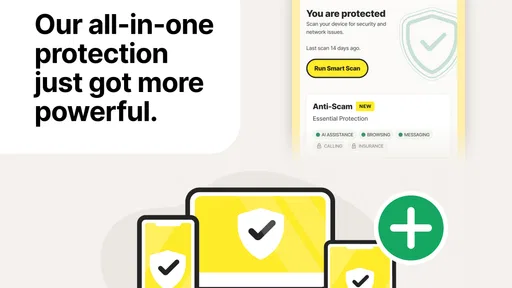
One thing I noticed was the handy dashboard that gives you an overview of your device’s status. It’s like having a personal guard that constantly keeps me updated about my device’s health. Pretty neat, right?
NortonMobile develops this tools app, and its long history in mobile security is reflected in how the different protections sit together. It first appeared in June 2010, and the current version is 26.1.0.260127077, which requires Android 10 or later. That makes the Android requirement worth checking before you install it on an older spare phone. On the store, it has a 4.6 average from around two million ratings, with more than 50 million installs and about 197,000 written reviews. Those figures suggest a well-established product, though popularity alone cannot tell you whether its feature mix suits your household.
Security Features: More Than Just Antivirus
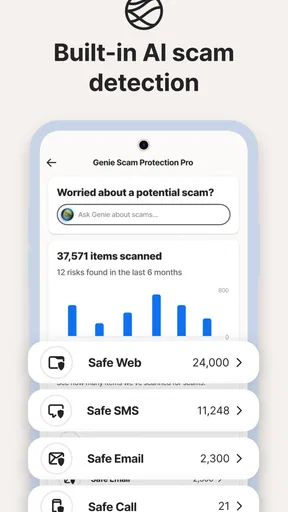
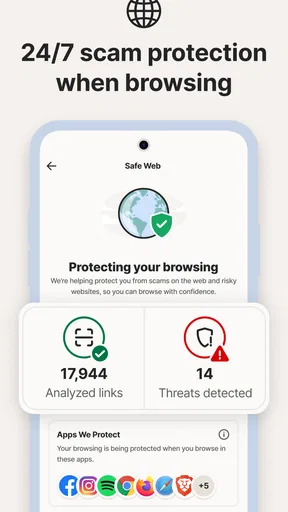
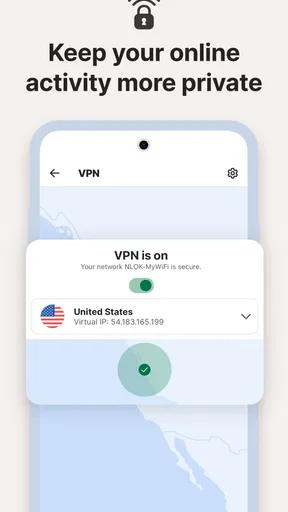
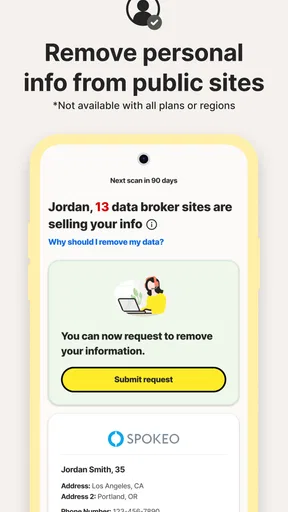
Now, let’s talk about what really matters—security. Aside from the standard antivirus protection, which is robust and reliable, Norton360 throws in a bunch of other features that make it a full-fledged security suite. We’re talking about a VPN for secure browsing, a password manager to keep all those pesky login details safe, and even dark web monitoring. Yes, it’s like having a personal detective patrolling the internet for any shady business involving your data.
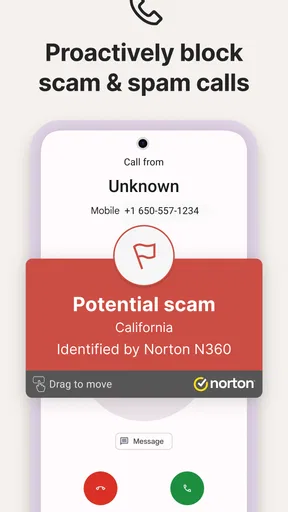
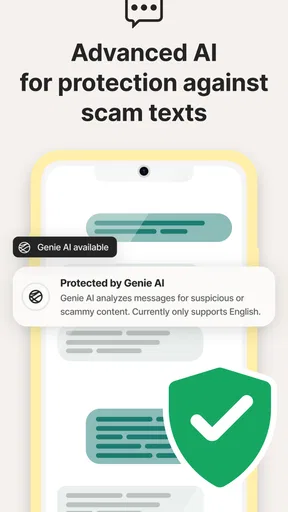
Another cool feature is the real-time threat protection. It’s constantly on the lookout for any malicious intent, ready to jump in and save the day. I ran a few tests (you know, just to be sure), and it caught threats faster than a cat pouncing on a laser pointer.
Choosing the right tool for the job
Norton360 makes the most sense when you want more than a basic malware scanner in one place. The VPN, password manager, and dark web monitoring can make it feel more complete than a phone’s built-in security checks, which tend to focus on the operating system and app ecosystem rather than bringing those extra services together. On the other hand, if you only want occasional malware checks and already use separate services you trust, a lighter scanner may be simpler and less costly to maintain.
I would compare the suite with the tools you already pay for before turning everything on. A password manager you use every day is more valuable than a second one that divides your logins, and a VPN is most useful when you have a reason to route browsing through it—not merely because it appears in a security app. The practical win here is convenience, but convenience only helps if you settle on one clear workflow for passwords and privacy tools.
For a shared family tablet, I would keep the setup modest: install the app, review its status together, and explain that alerts deserve attention rather than panic. For a personal phone used for email, shopping, and banking, I would take more time to explore the available protections and decide which ones fit. In either case, do not treat a clean scan as proof that a message, website, or person is trustworthy. Security software can help identify risks, but careful choices still matter.
Performance: Smooth Operator
Let’s be honest—no one wants an app that slows down their device to a crawl. Thankfully, Norton360 runs quietly in the background without hogging resources. I didn’t notice any lag or performance dips, which is a massive plus in my book.
Even when running a full system scan, I was able to stream videos and browse the web without any hiccups. It’s like having your cake and eating it too.
One useful habit is to run a scan when you are not relying on the phone for something time-sensitive, especially if you are using an older device or a shared tablet. My experience was smooth, but performance can vary with a device’s age, available storage, and what else is running. If you notice a change after installing any security app, check the app’s own status and your phone’s general settings before assuming the protection itself is the cause.
Additional Perks: Because Why Not?
On top of its stellar security features, Norton360 also offers a few extras that feel like little bonuses. The cloud backup feature lets you store important files securely, and the parental controls give you peace of mind if you have little ones using your devices.
And let’s not forget the customer support. I had a couple of questions and used their online chat service. The responses were quick and helpful, which is a rarity these days.
These extras are most useful when they solve a specific problem you already have. Before moving household files into cloud backup, I would decide which files matter, who needs access, and whether that storage arrangement fits the account terms. For parental controls, first agree on the rule you want to support; otherwise, the feature can become a point of friction rather than a useful aid. In both cases, the app is a tool for carrying out a plan, not a replacement for deciding what that plan should be.
Who will get the most from it?
I would recommend considering Norton360 if you want a recognizable security suite that combines device protection with privacy and account-related tools, and you are willing to review the choices instead of leaving every feature untouched. It can suit someone managing a main phone and a household device, particularly when the goal is to make basic security checks easier to find in one app.
I would skip it, or at least compare alternatives carefully, if you want only a minimal scanner, dislike bundled services, or already have a VPN and password manager that you prefer. It may also be the wrong first choice if your priority is detailed family supervision rather than device security. Check the available plan and features before you depend on a particular service, and confirm that the phone meets the Android requirement before downloading.
Final Thoughts: Worth the Hype?
After spending some quality time with Norton360, I can confidently say it lives up to the hype. It’s a comprehensive security solution that covers all the bases without overwhelming you with complexity. Whether you’re a tech newbie or a seasoned pro, you’ll find value in its features.
So, if you’re on the hunt for a reliable and feature-packed security app, give Norton360 a whirl. Trust me, your devices will thank you.
My household verdict is positive, with one condition: treat the app as a shared security aid, not as an automatic family-management system. It is free to install, rated for Everyone, and its in-app purchases can range from $0.99 to $264.99 per item, so I would inspect the offer attached to any feature before committing. If your family can agree on who manages settings and how to respond to warnings, Norton360 can be a practical option. If you need a simpler, single-purpose tool—or detailed supervision above all else—another app may fit better.
Pros
- User-friendly interface for easy navigation.
- Comprehensive real-time threat protection.
- Includes VPN for secure browsing.
- Parental controls enhance safety for kids.
- Cloud backup for important files.
Cons
- Can be resource-heavy on older devices.
- VPN has limited server locations.
- Some features require premium subscription.
- Occasional false positives in scans.
- Initial setup can be time-consuming.
FAQs for Norton360 Antivirus & Security
What features does Norton360 Antivirus & Security offer?
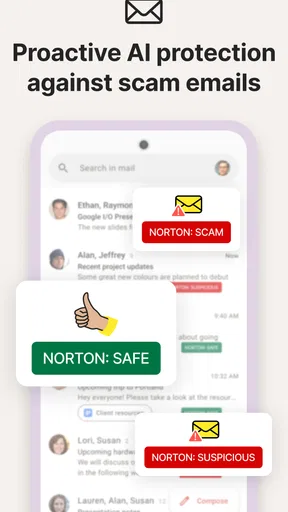
Norton360 Antivirus & Security provides comprehensive protection with features like real-time threat protection, VPN for online privacy, password manager, dark web monitoring, and parental controls. The app also offers a smart firewall, webcam protection, and a secure cloud backup to ensure your data remains safe.
Is Norton360 Antivirus & Security available for both Android and iOS devices?
Yes, Norton360 Antivirus & Security is available for both Android and iOS devices. The app is designed to offer optimized security features on both platforms, ensuring that users can enjoy peace of mind whether they are using a smartphone or a tablet.
Does Norton360 Antivirus & Security require a subscription?
While Norton360 Antivirus & Security can be downloaded for free, it typically requires a subscription to access its full range of features. The app offers various subscription plans, allowing users to choose the one that best fits their security needs and budget.
Can Norton360 Antivirus & Security help protect my personal information online?
Absolutely. Norton360 includes a secure VPN that helps encrypt your internet connection, providing anonymity and security when browsing online. Additionally, its dark web monitoring feature alerts you if your personal information is found on the dark web, enhancing your online privacy.
How does Norton360 Antivirus & Security handle device performance?
Norton360 is designed to work efficiently without significantly impacting the performance of your device. It conducts regular scans and updates in the background, ensuring that your device remains protected without slowing down its operations. Users generally find it to be lightweight and unobtrusive.


